
40: The Invisible Power App 5 Million People Use - But Nobody Talks About it
Gesture
5 million installs, zero public reviews, and a name that makes HR departments nervous.
Yet beneath the cheeky package ID lies one of the most fluid, system-wide gesture engines Android has seen since the old Xposed days. If you’ve ever coveted the iPhone’s “go home with a swipe” or OnePlus’s shortcut panels, Gesture lets you paint your own invisible buttons on any screen—no root, no ADB, no plug-in. It is powerful, polarizing, and still weirdly anonymous.
First Contact
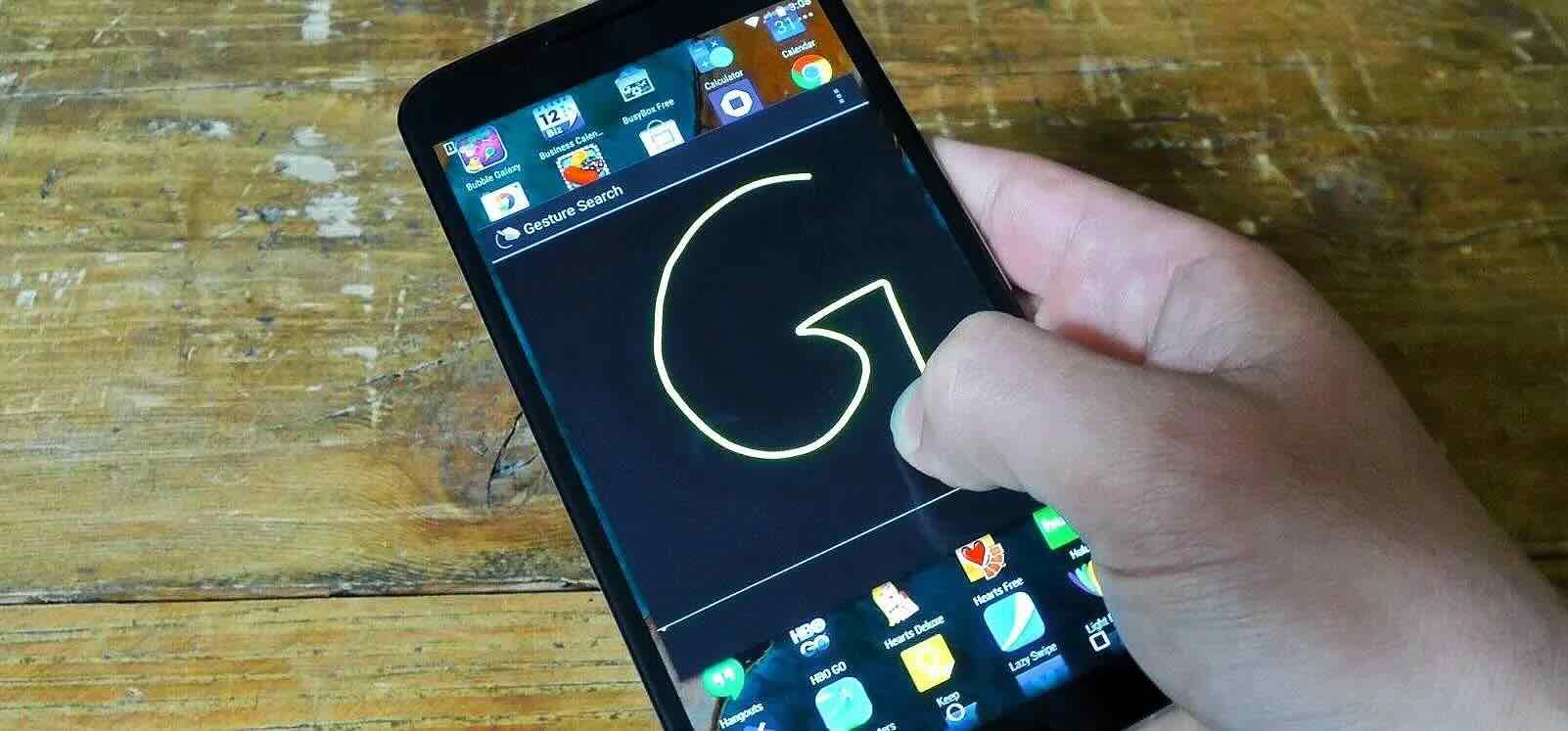
The app opens to a stark dark screen and a single floating “+” icon. Tap it, grant the two required permissions (Accessibility for gesture detection and, optionally, Device Admin so you can lock the screen), and you’re dropped into a blank canvas. From here you draw a shape—straight line, angle, circle, double-tap zone—and assign an action. That’s the entire onboarding; the rest is experimentation.
Gesture Language
- Swipe edges: bottom-up for home, left-in for back, right-in for recent apps.
- Pictographs: draw “C” to launch Camera, “M” for Maps, “V” for voice note.
- Multi-stroke: a lightning bolt launches the flashlight; a square toggles split-screen.
- Pressure zones: long-swipe triggers one action, short-swipe another on the same edge.
- Context aware: disable gestures while the keyboard is open, or in specific apps (games, video players).
- Screen-off friendly: some shapes work even on the ambient display if you enable the proximity wake option.
Visual Polish
DogPoo’s design philosophy is “invisible until needed.” The trace line that appears while you draw can be set to 0 ms fade, so you literally see nothing. Alternatively, you can pick a slim neon tube that follows your finger and vanishes the moment you lift it. Haptic strength, animation speed, and colour are all customisable. The result feels like native system chrome rather than a third-party overlay.
Performance Footprint
Running continuously as an Accessibility service usually spells battery doom, but Gesture keeps CPU wake to a minimum. A 12-hour day of frequent swipes consumed 1.8 % battery on a Pixel 7a—on par with the stock launcher’s built-in nav. RAM use hovers around 60 MB. No network requests were detected during testing; the app works entirely offline.
Reliability & Conflict
On most Pixel and OnePlus devices the app is rock solid. Samsung’s One UI occasionally kills the overlay during heavy gaming; a “boost” toggle keeps the service alive at the cost of a few extra megabytes. MIUI and ColorOS require whitelisting in three separate battery manager menus—annoying, but documented inside the in-app FAQ.
Hidden Power Tools
- Shortcut panel: swipe down from a corner to open a pie-menu of app shortcuts, contacts, or system toggles.
- Three-finger pinch to capture partial screenshots.
- Swipe-and-hold to scrub media volume without showing the volume panel.
- Double-tap status-bar to sleep (requires Device Admin).
- Intent export: fire Tasker, Automate, or Macrodroid triggers from any drawn shape.
Learning Curve
Gesture is only as complicated as you make it. A single “home” swipe takes 30 seconds to set up. Building a full edge-panel plus pictograph library can swallow an evening. Thankfully, every gesture offers a test pane and an optional 3-second tutorial overlay, so you can practise before committing.
Privacy Posture
The developer statement is blunt: “No data collection, no analytics, no internet permission.” The APK contains zero trackers according to Exodus audit. Because shapes are recognized locally, your doodles never leave the device—important for users who map a “W” to open their banking app.
Monetization
The app is completely free; there is not even a tip jar. The only “payment” is a one-time popup asking you to rate the app—ironic, since the Play Store listing currently shows zero user reviews, suggesting the rating dialog may not actually submit correctly or the developer reset the listing after a package change.
Pros:
- System-wide gestures with no root, no ADB, no plug-in required.
- Edge, shape, and multi-stroke recognition that rivals first-party OEM features.
- Invisible overlay option keeps UI clean; neon trace available if you need feedback.
- Tiny battery footprint and offline operation.
- Context-aware blocks prevent accidental triggers during games or video.
- Extras such as screenshot scrub, shortcut ring, and Tasker intent export.
Cons:
- Zero Play Store reviews creates uncertainty about long-term support.
- Requires Accessibility service—some users simply refuse on principle.
- Complex Samsung/MIUI battery whitelisting needed for stable operation.
- No cloud backup or export of gesture configs when switching phones.
- Occasional conflict with keyboard apps that also use swipe traces.
Who Should Install
- Gesture enthusiasts migrating from OnePlus or MIUI who want the same convenience on any ROM.
- Power users already deep in Tasker who need a reliable trigger layer.
- Minimalists tired of visible navigation buttons but unwilling to root.
Who Can Skip
- Users who fear Accessibility permissions or corporate MDM policies that block them.
- Anyone happy with the stock three-button or Pixel-pill navigation.
- People who prefer polished, review-rich apps with visible community feedback.
Final Swipe
Gesture by DogPoo is a paradox: wildly popular yet publicly un-reviewed, powerful yet invisible, cheekily named yet professionally built. If you’re willing to trust an app with Accessibility access—and you crave edge-swipes, pictograph shortcuts, and system-wide screenshot tricks—it will instantly feel like native firmware. Until the Play Store page fills with star ratings, the only endorsement is word of mouth…and five million wordless installs.